

Plugins and connectors
Connect external services and internal systems to Keural with MCP plugins.
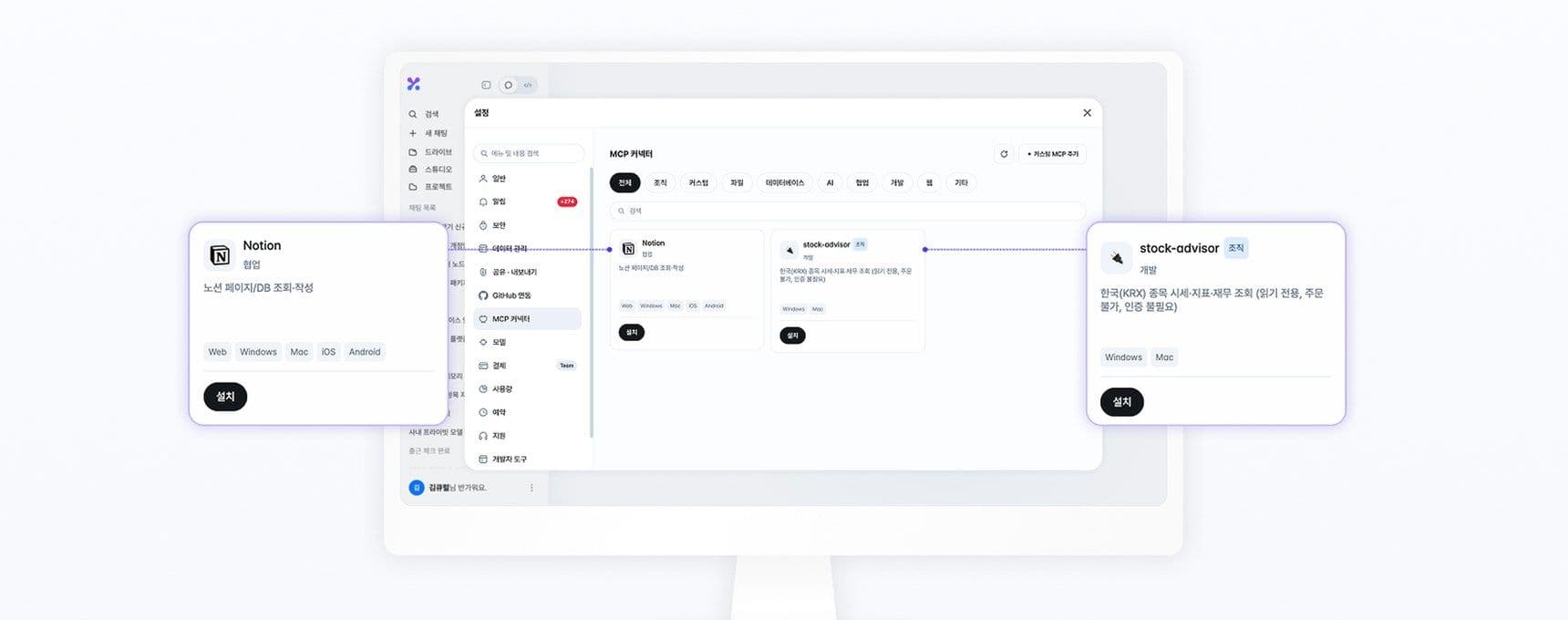
Keural supports MCP (Model Context Protocol). When you install a plugin (connector), the agent calls that service's tools directly. The interface displays these as Plugins.
Installation and management
Under Settings → Plugins, choose the plugins you want, install them, and turn them on. Plugins that require an account connection open an authorization screen during installation. To choose which plugins to use in a conversation, select + → Plugins in the input box.
| Status | Meaning |
|---|---|
| In use | The agent uses this plugin in conversations. |
| Off | The plugin stays installed but is not used in conversations. |
| Uninstall | Press Uninstall in the ⋯ menu on the plugin row. Built-in plugins cannot be uninstalled. Turn them off with the switch on the row. |
Connection methods
| Method | Web and mobile | Desktop app |
|---|---|---|
| Remote MCP server (Streamable HTTP, SSE) | Supported | Supported |
| Local plugin (STDIO) | Not supported | Supported (install from a ZIP file or folder) |
| HTTP MCP accessed from this device (e.g., internal network) | Not supported | Supported (enter the address directly) |
For a local plugin you registered on the web, select Install on this PC in the desktop app to install it.
Add one directly
To add an MCP server that isn't in the list, select + Add custom MCP and enter its address and authentication method. Add only plugins from trusted sources. Keural does not guarantee plugins made by third parties. For the input fields and package format, see Plugin and MCP server integration.
On a search plugin, turn on Use this plugin for web search, and web searches will use that plugin instead of the default search.
Tool permissions
Set how each plugin tool runs. Change it under ⋯ → Tools on the plugin row, or select Apply to all to set all tools at once.
| Permission | Behavior |
|---|---|
| Ask first | An approval card is shown before the tool runs. This is the default for remote plugin tools. |
| Always allow | Runs without asking. |
| Block | Does not run. |
Organization plugins
Organization admins register organization-only plugins under Organization management → Organization plugins. When Require install approval is on, plugins that members install can be used only after an admin approves them. Pending requests are handled under Organization management → Install approvals.